
Video Tutorial Coming Soon
You can view the list of crew members associated with the vessel and see whether each crew member is linked to a specific User Role. Depending on your permissions, you may also have the ability to create a new user.
Create a new User
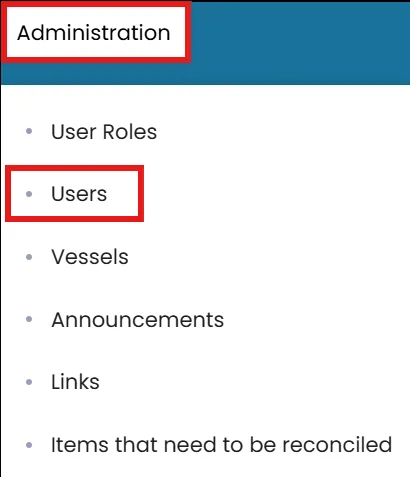
- On the Administration menu, select Users.
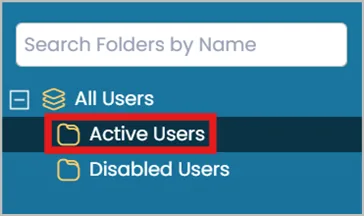
- On the left, select the Active folder.
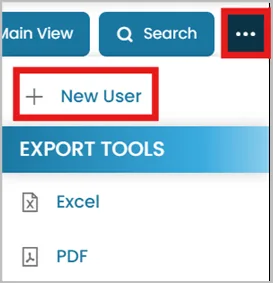
- Click the three dots in the top right corner and select New User.
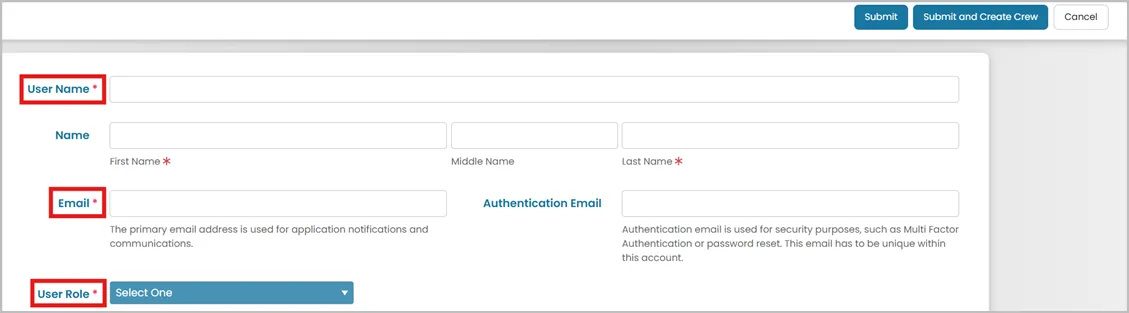
- Enter a unique Username and complete the required user information.
Choose the appropriate User Role:
User roles determine the level of access and permissions.
- Click:
Submit and Create Crew (if you want this user to be added in the Crew Module as crew member).
Submit (if you do not plan in creating this user as a crew member)

Linking User to a Crew Profile
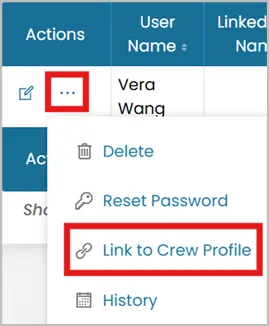
- Click the three dots next to the user’s name and select Link to Crew Profile.
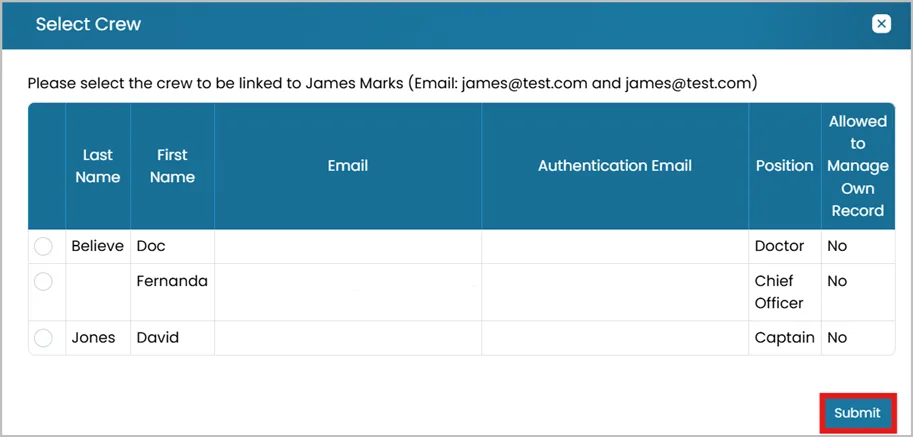
- Choose the appropriate Crew Member and click Submit.
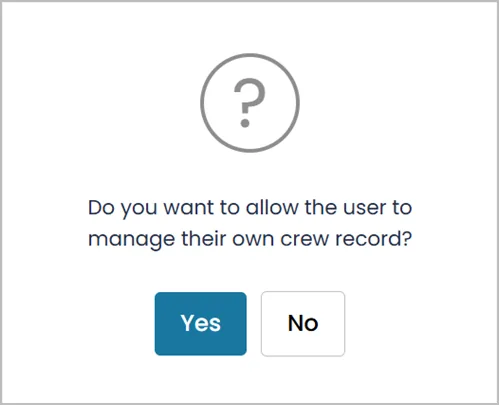
- You’ll be asked if you want to allow this user to manage their own record.
Was this article helpful?
Still need help?
Our support team will pick it up as a support ticket and reply by email.