
Set a Vessel as primary
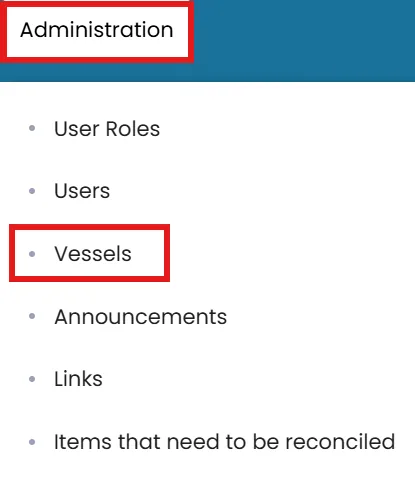
- Click on the Administration menu on the blue ribbon the select Vessels.
- Locate the vessel you want to set as primary.
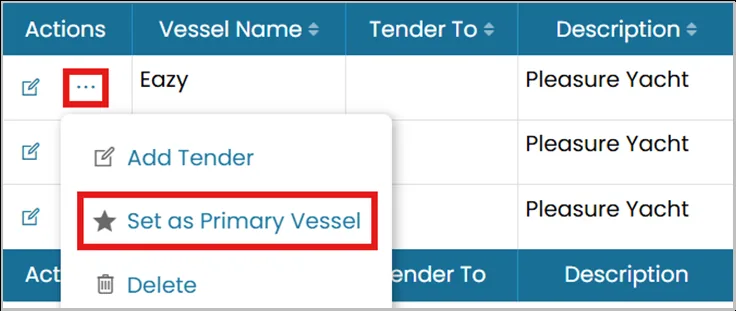
- Click the three dots next to the vessel name and select Set as Primary Vessel.
- A red star icon will appear beside the vessel name, indicating it has been successfully set as the primary vessel for the account.
Delete a vessel:
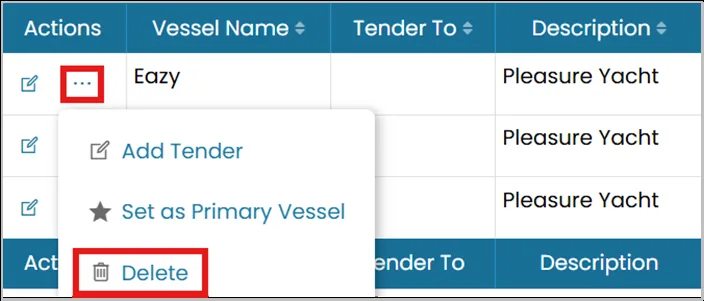
- Click the three dots next to the vessel you want to remove and select Delete.
Was this article helpful?
Still need help?
Our support team will pick it up as a support ticket and reply by email.