
Video Tutorial Coming Soon
The Announcements feature allows users to create and share important updates with crew members. Announcements are specific to the vessel you are working on, ensuring that information is only visible to users associated with that vessel.
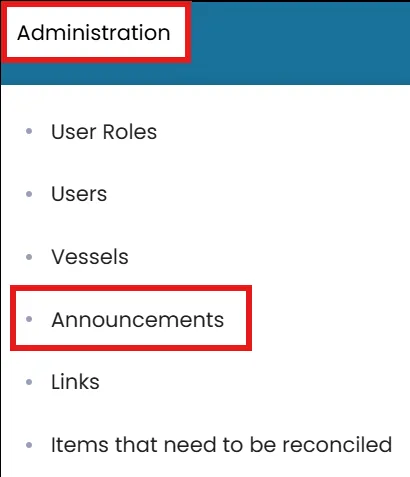
- Click on the Administration menu on the blue ribbon the select Announcements.
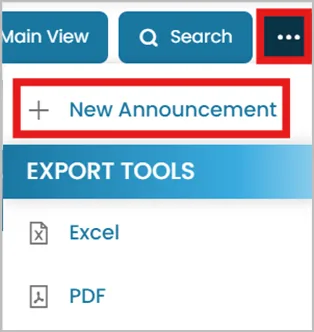
- Click the three dots in the top-right corner and select New Announcement.
- Enter a Subject for your announcement.
Check the box if it is Safety Management related.
Decide if the announcement should be pinned at the top of the homepage.

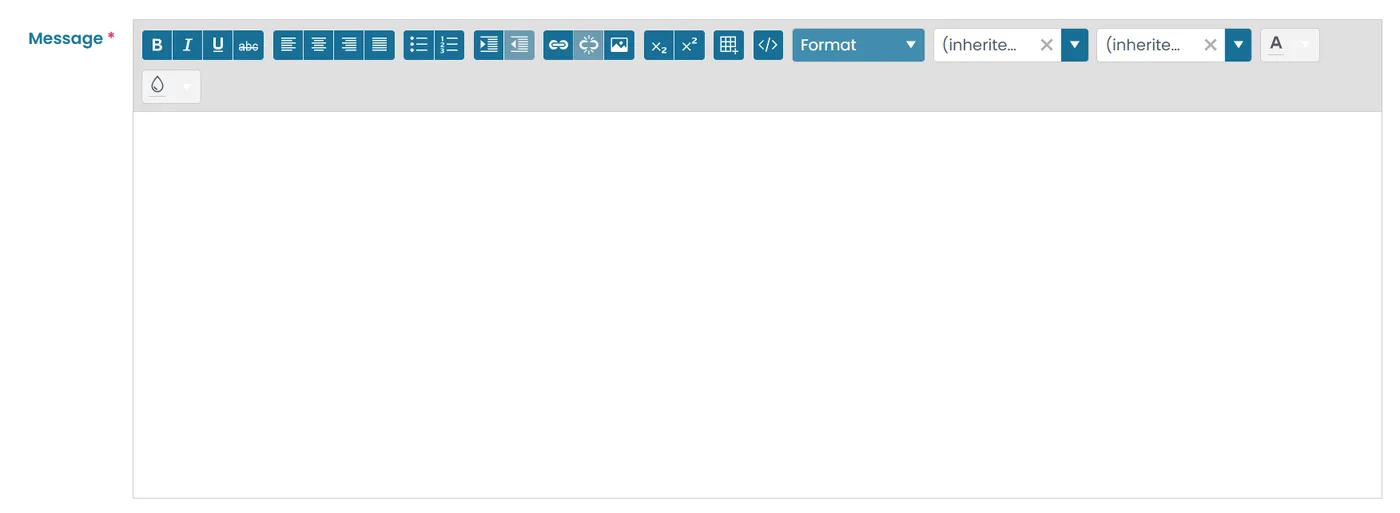
- Add your message content: You can include links, images, change font and background colors.
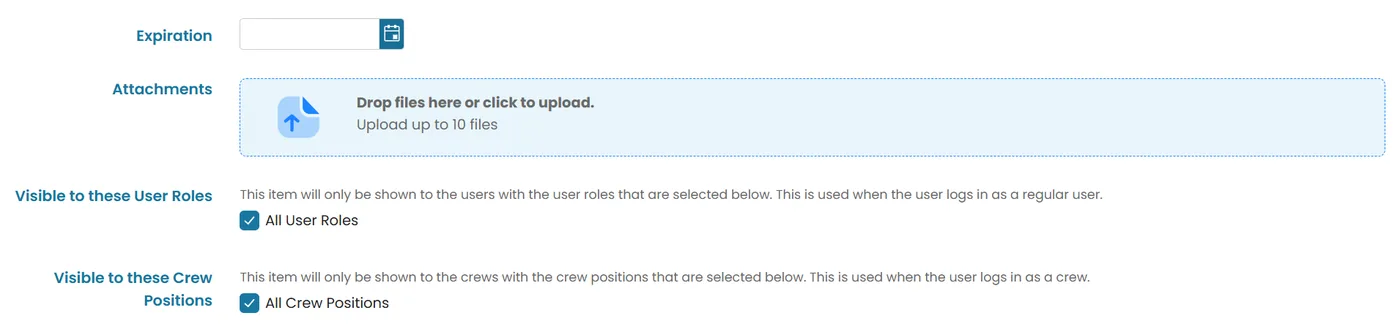
- Set an Expiration Date if you'd like the announcement to disappear after a certain date.
- Upload any required documents by clicking the upload box or dragging files into it.
- Choose which user roles should see the announcement.
- For crew-specific visibility, filter by crew positions.
- Click Submit to publish the announcement.
Was this article helpful?
Still need help?
Our support team will pick it up as a support ticket and reply by email.