
Video Tutorial Coming Soon
An Advanced Payment allows a crew member to receive their payment earlier than the rest of the crew, while the regular crew payroll continues as normal.
Create an Advanced Payment
- From the Sub-Account homepage, click the Modules menu and select Payroll.
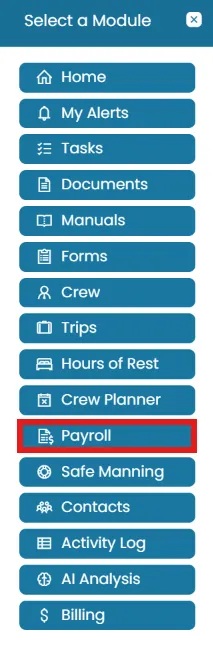
- The Payroll landing page displays the payroll report for the current month.
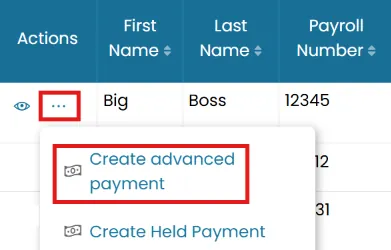
- Click the three-dot menu next to the relevant crew member and select Create Advanced Payment.
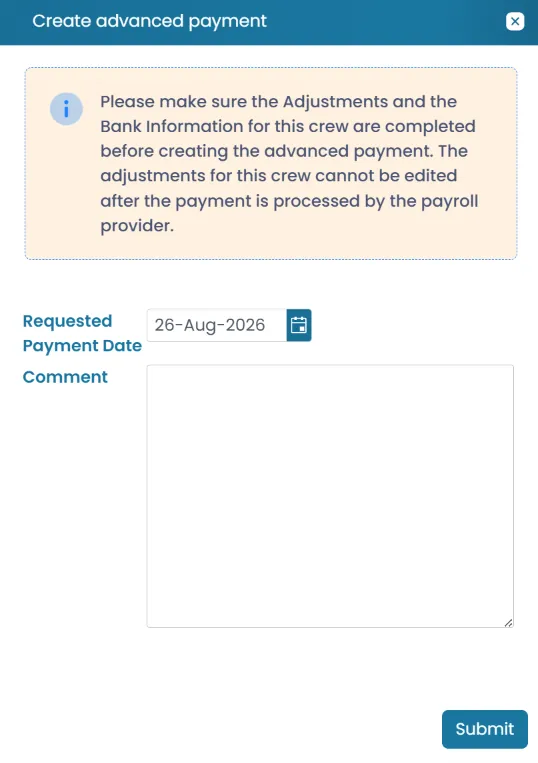
- Enter the Requested Payment Date.
- Enter a comment explaining the reason for the advanced payment and click Submit.
View Advanced Payments Reports
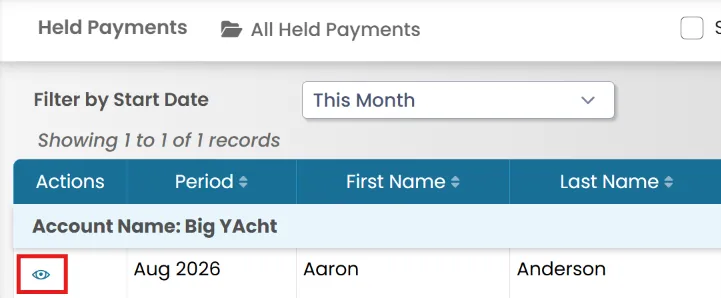
- To view all crew members with payments currently on hold, go to the Reports menu, System Reports tab and select Advanced Payments.
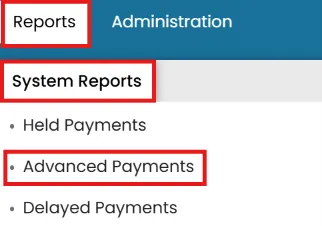
- If a payroll has an Open status, users can still edit the Requested Payment Date from this view.
Was this article helpful?
Still need help?
Our support team will pick it up as a support ticket and reply by email.