
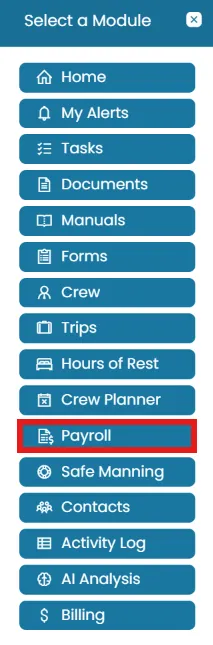
- From the Sub-Account homepage, click the Modules icon and select Payroll.
To approve a payroll report
- The Payroll landing page displays the payroll report for the current month.
- Review the report thoroughly. Once reviewed, you can Submit the report for approval.
- If you have approval permissions, you can directly Approve the report.

To reopen a payroll report
- The Payroll landing page displays the payroll report for the current month.
- If the Payroll has already been approved, the Reopen option will be available in the top-right corner of the screen.
- Be sure to add a comment explaining the reason for reopening the report.

Was this article helpful?
Still need help?
Our support team will pick it up as a support ticket and reply by email.