
Forgot Password — Website
- Click on the Forgot Password option.
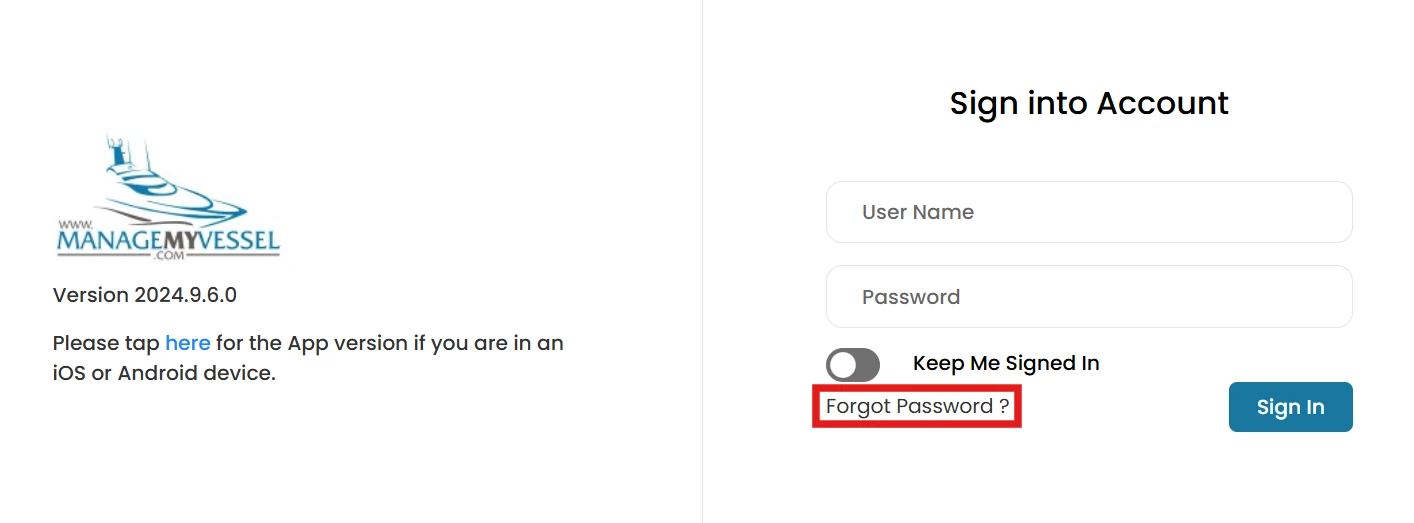
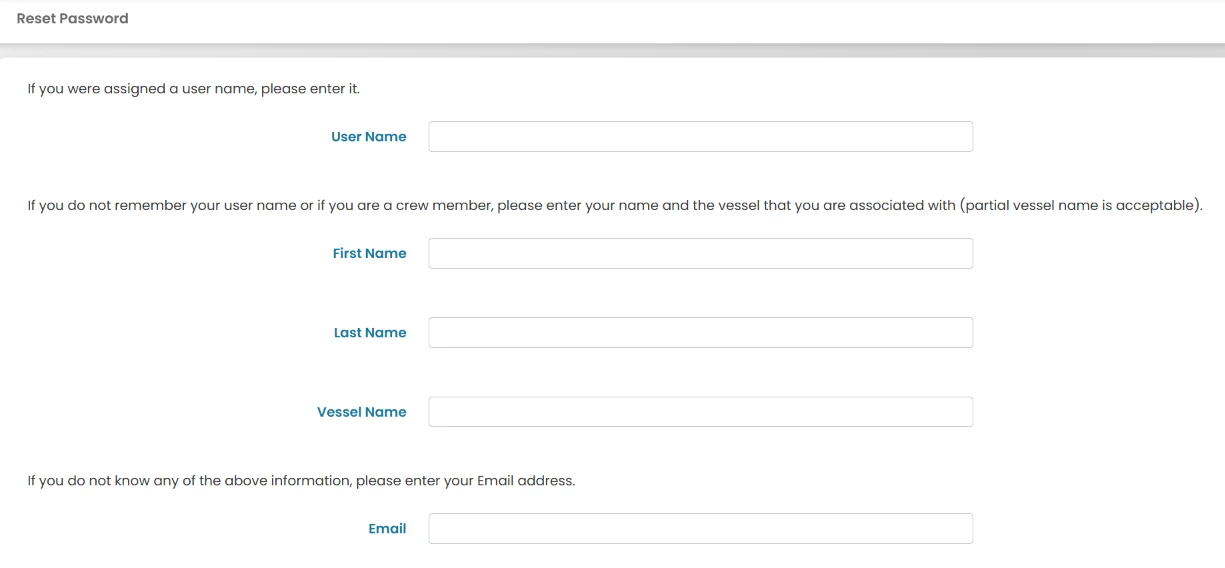
- You will be presented with three options:
- If you remember your username: Enter your username and click Submit.
- If you do not remember your username: Enter your first name, last name, and the vessel you are associated with, then click Submit.
- If you do not remember any of the above information: Enter your email and click Submit.
- After selecting one of the options above, you will also need to complete the Security Code as an additional security verification.

- Once you've entered one of the required information and completed the security code, click Submit.
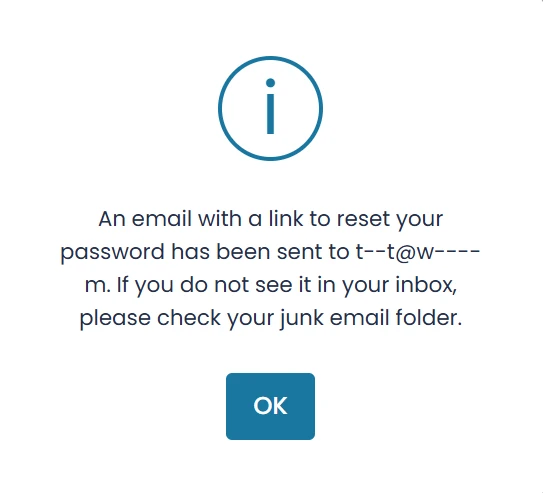
- You will receive an email at the authentication email address associated with your account, containing instructions on how to reset your password.
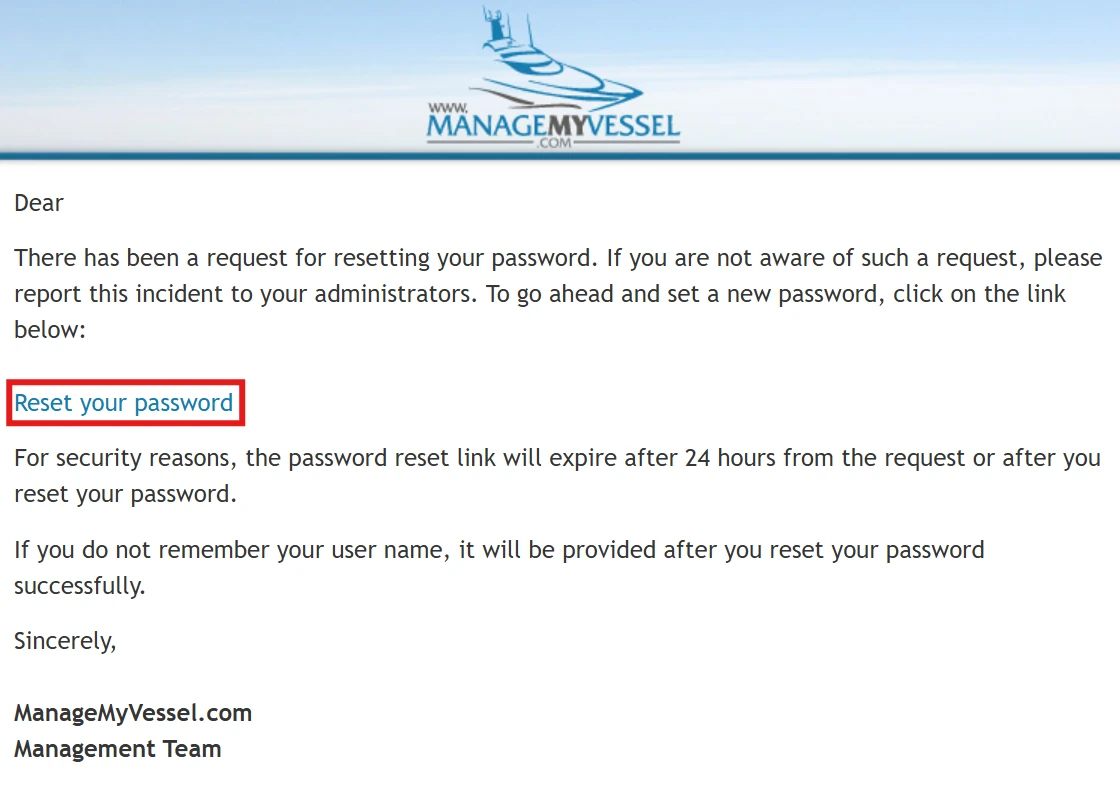
- Click on the Reset Your Password link provided in the email.
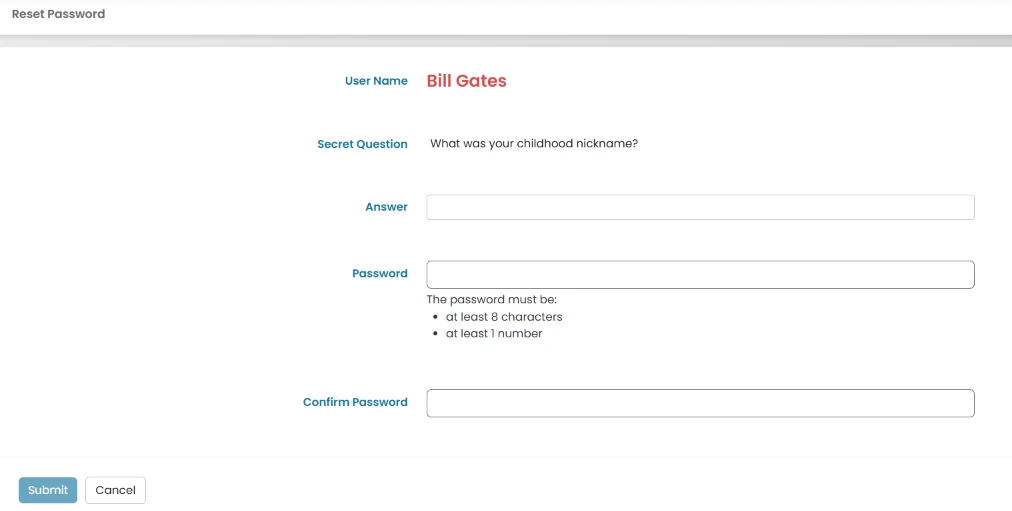
- You'll be directed to a screen where you'll need to answer the security question and set a new password.
Forgot Password — MMV App
- Click on the Forgot Password option.
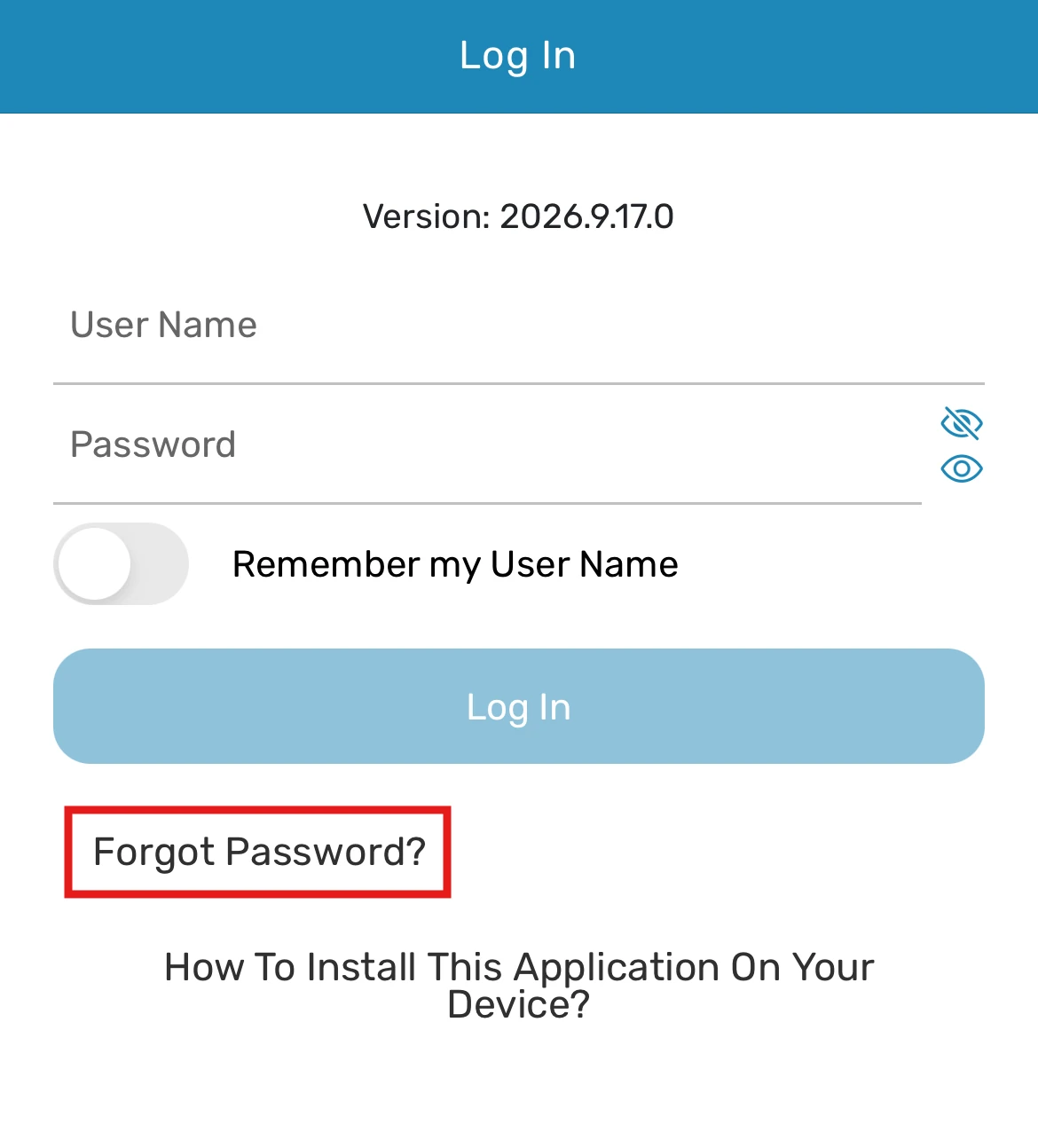
- You will be presented with three options:
- If you remember your username: Enter your username and click Submit.
- If you do not remember your username: Enter your first name, last name, and the vessel you are associated with, then click Submit.
- If you do not remember any of the above information: Enter your email and click Submit.
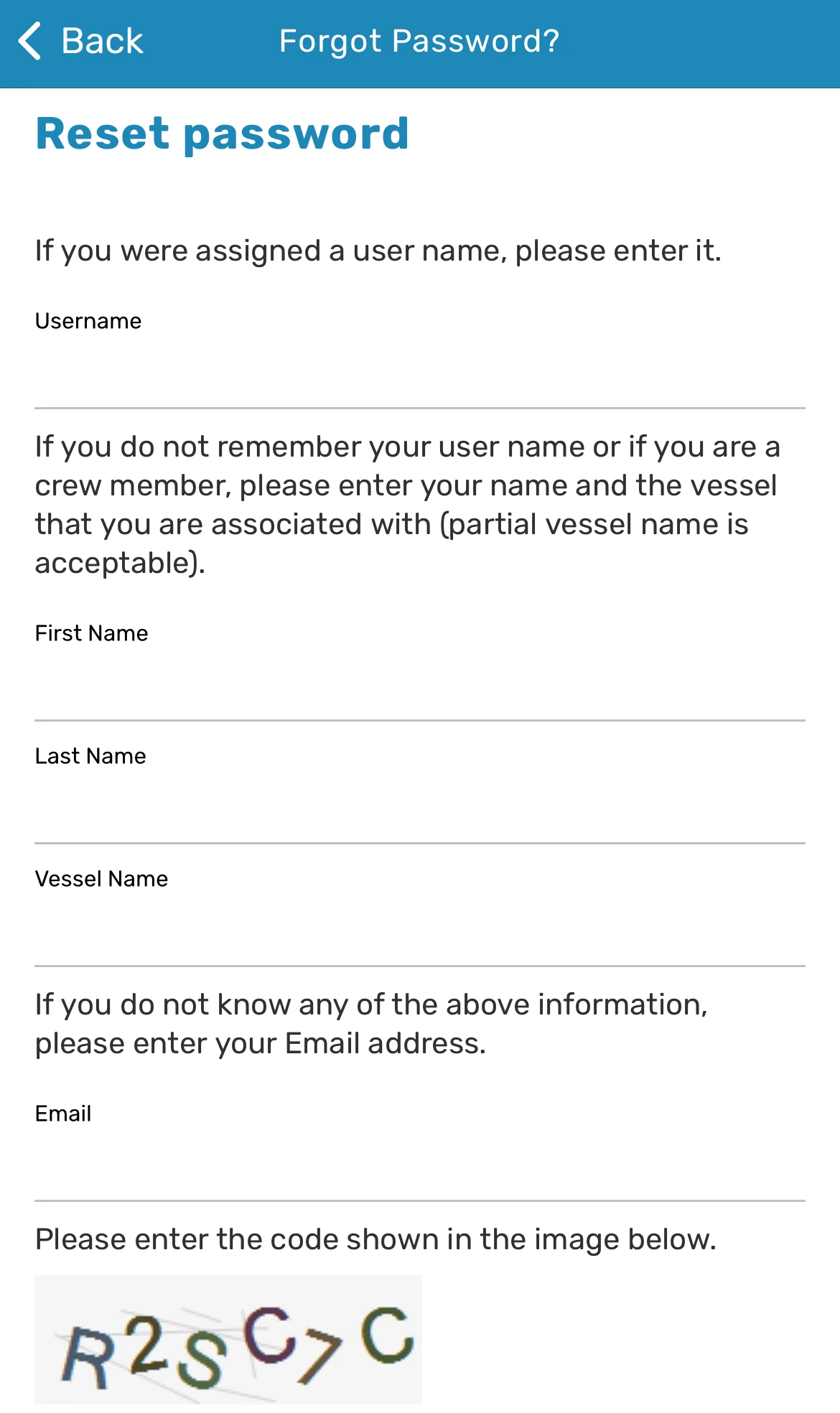
- After selecting one of the options above, you will also need to complete the Security Code as an additional security verification.
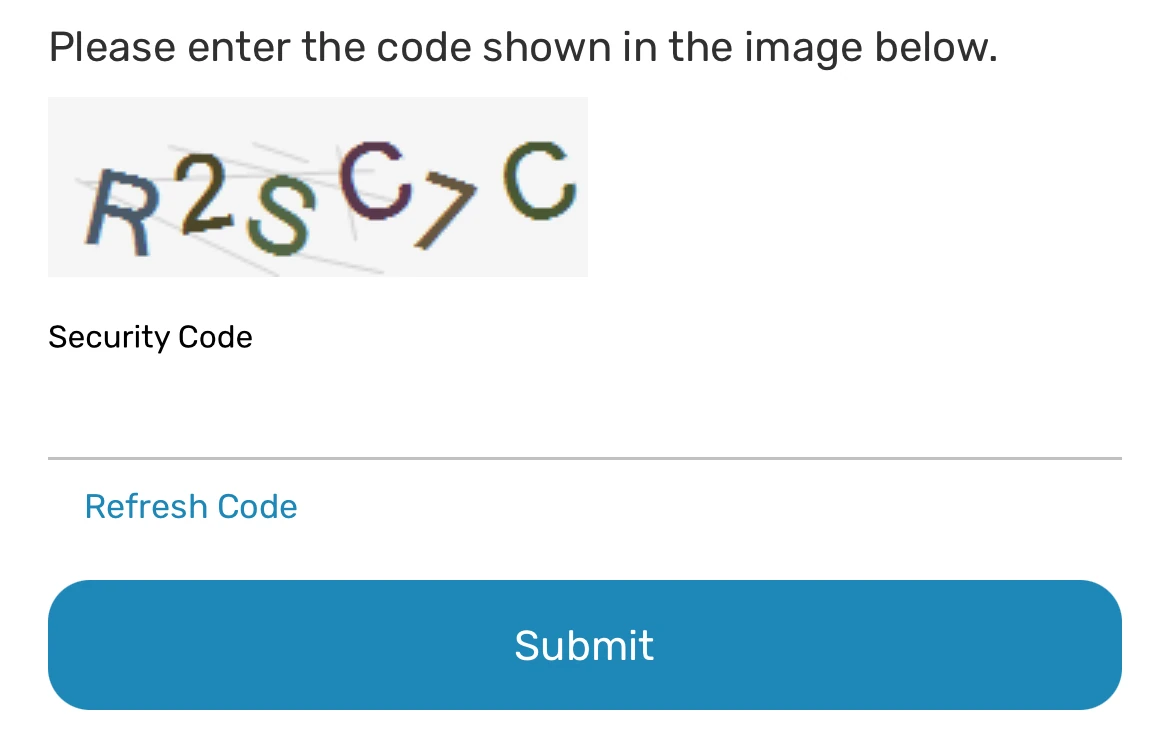
- Once you've entered one of the required information and completed the security code, click Submit.
- You will receive an email at the authentication email address associated with your account containing a provided key.
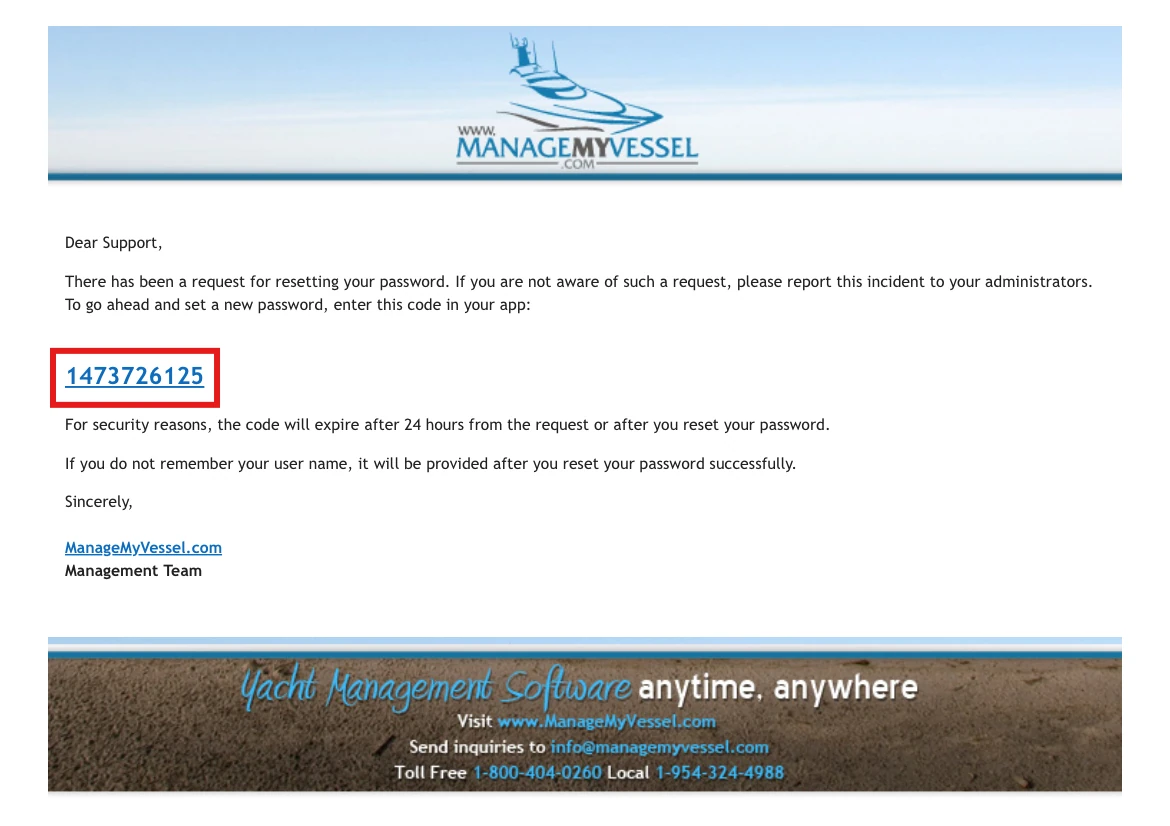
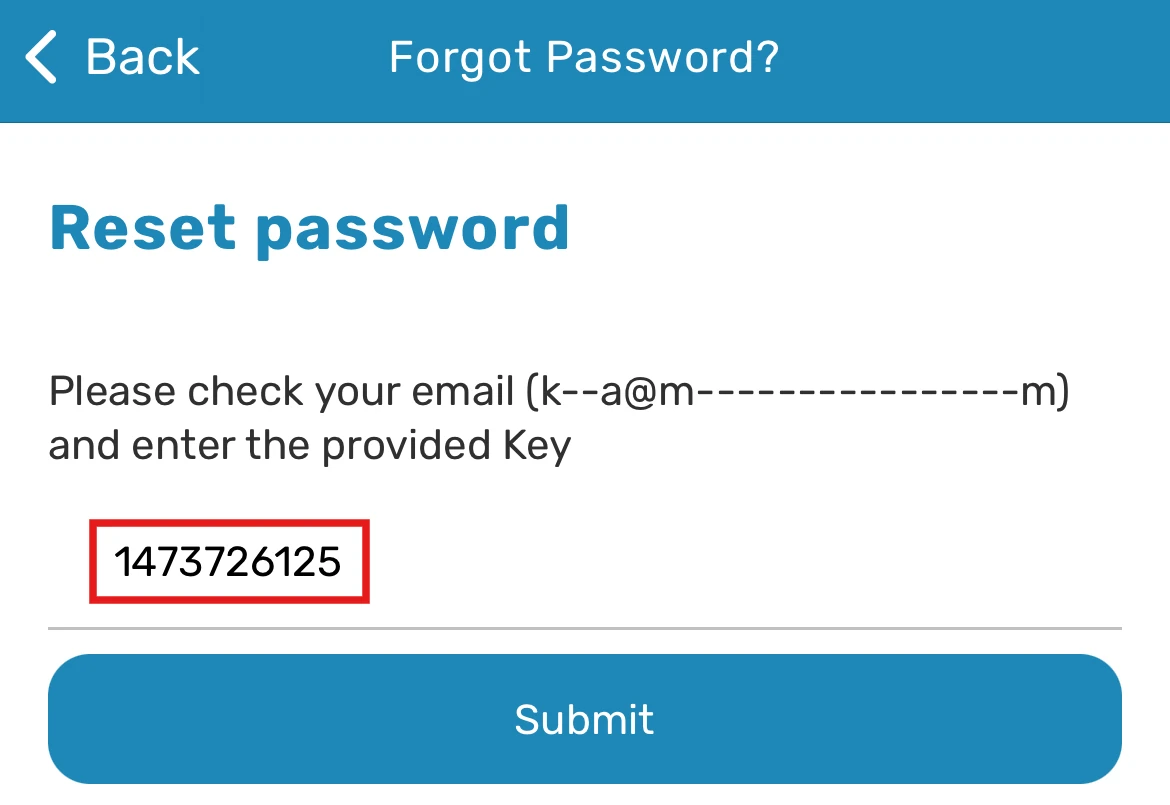
- Enter the code and click Submit.
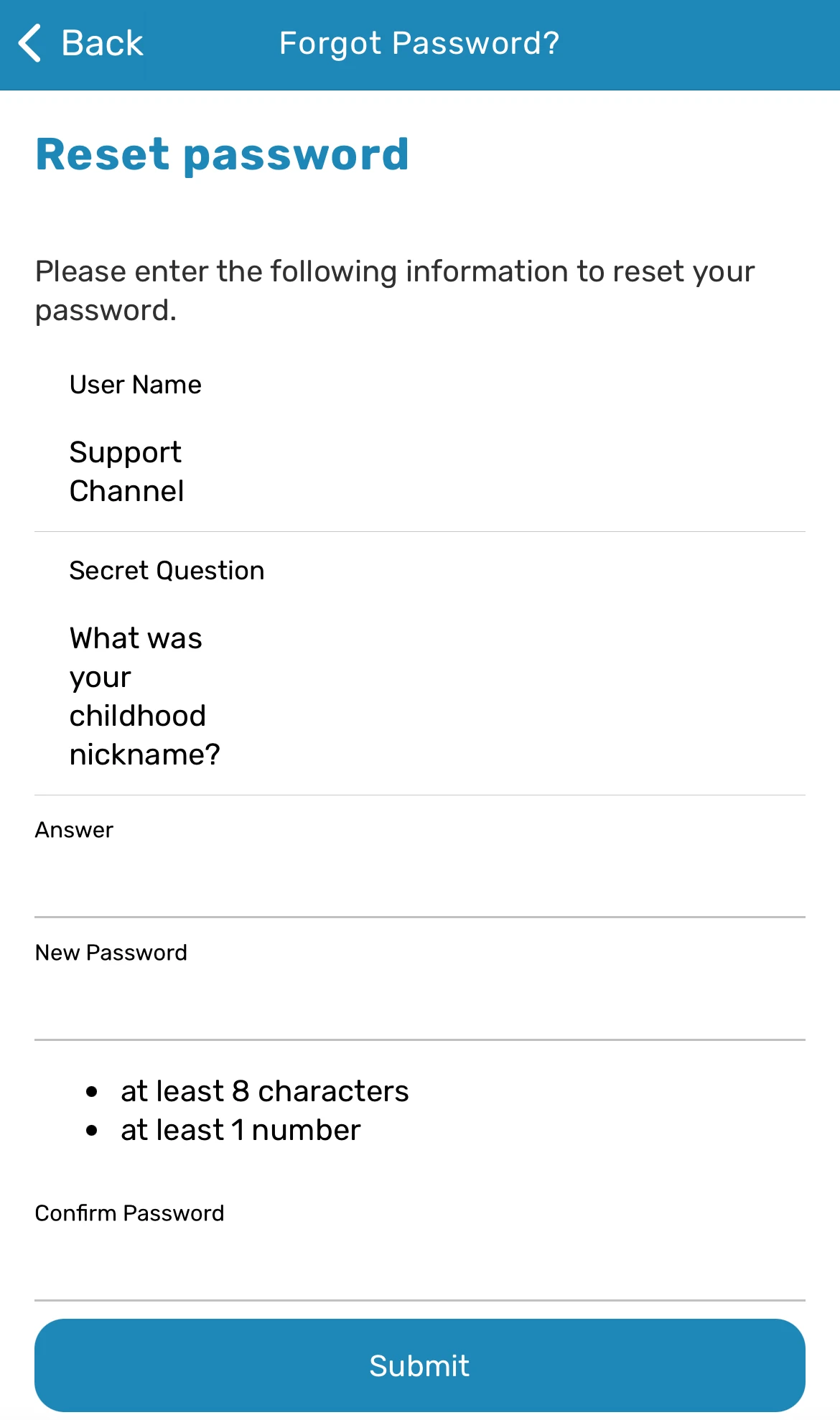
- You'll be directed to a screen where you'll need to answer the secret question and set a new password.
Was this article helpful?
Still need help?
Our support team will pick it up as a support ticket and reply by email.