
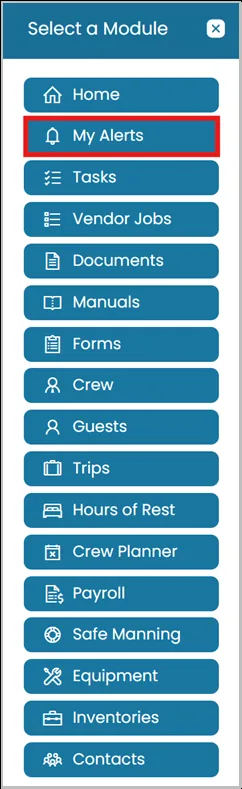
- Click on Modules icon and then select My Alerts.
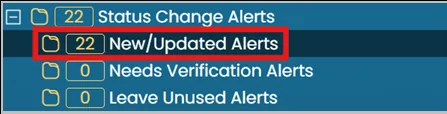
- Locate the New/Updated Alerts in the Status Change Alerts folder
- Click the View icon next to the status.
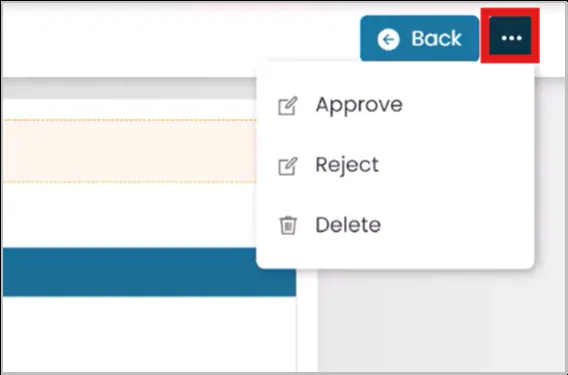
- Click the three dots in the top right corner to Approve, Reject, or Delete the request.
- Once you choose, you will be taken to a new page with more details regarding the status change request.

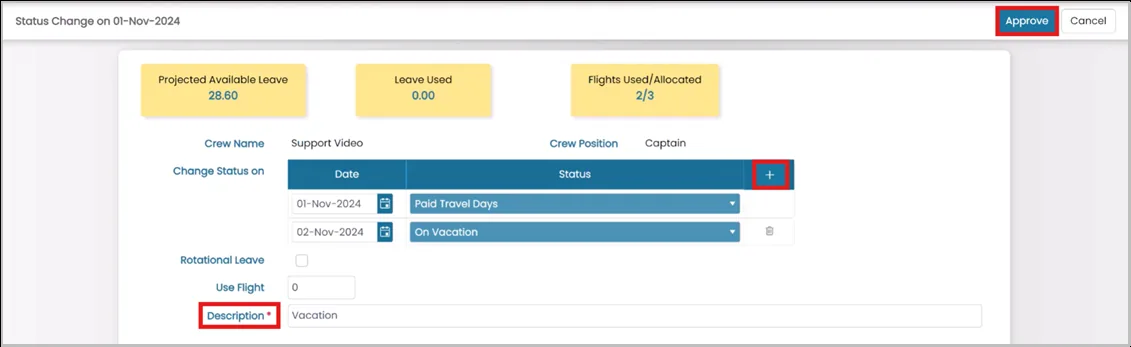
Click the Add icon to add further status changes.
Once you're finished, click Approve in the top right corner.
Was this article helpful?
Still need help?
Our support team will pick it up as a support ticket and reply by email.