
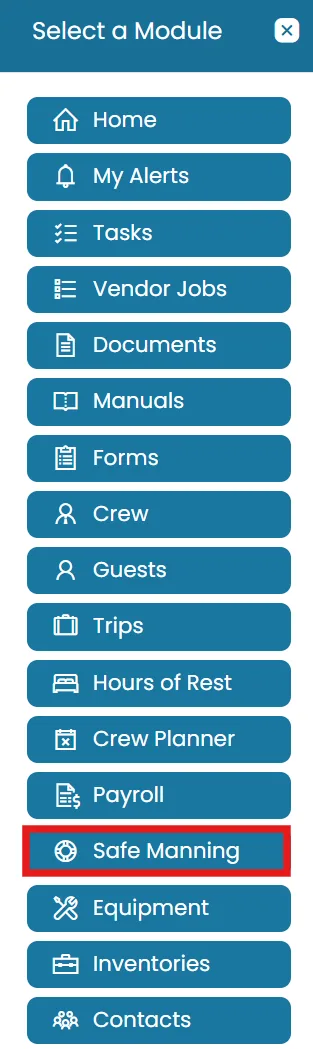
- Click on Modules icon and then select Safe Manning.
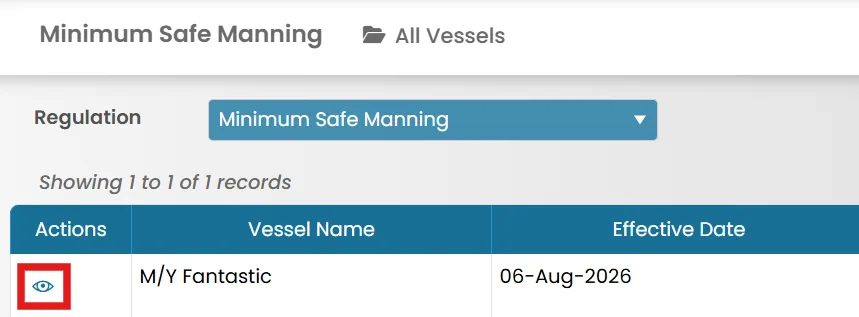
- You can Filter by travel distance using the dropdown menu.
- Click the View icon to view the Safe Manning details.
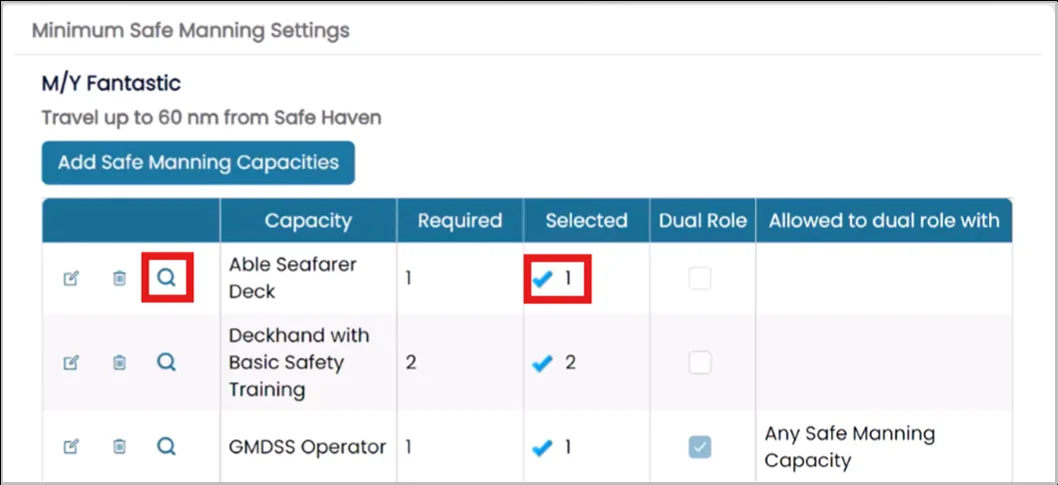
- Click the magnifying glass icon to see which crew members meet or can meet the required capacities for this distance.

A blue check mark will appear if all capacities are met.
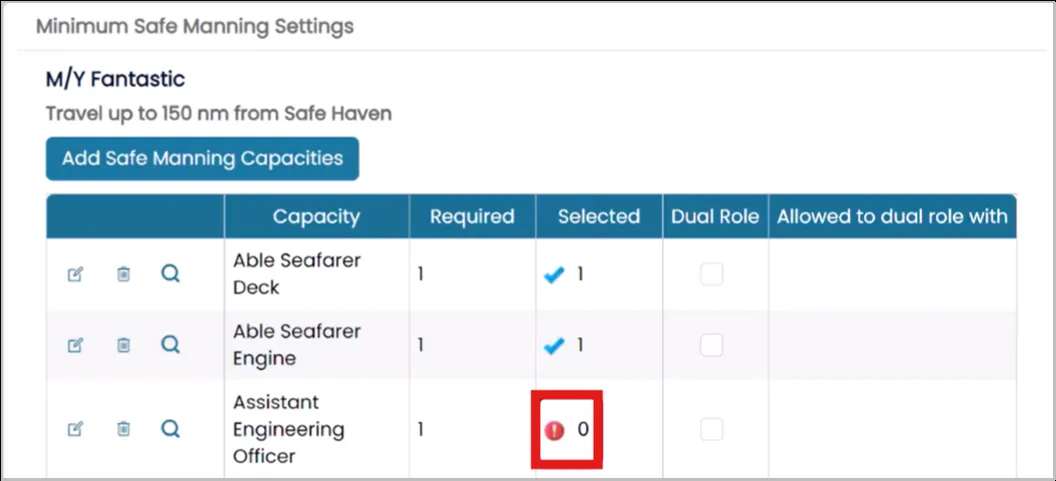
- If capacities are unmet, a red exclamation point will appear.
- To add a crew member to meet a capacity, click the View icon next to their name.
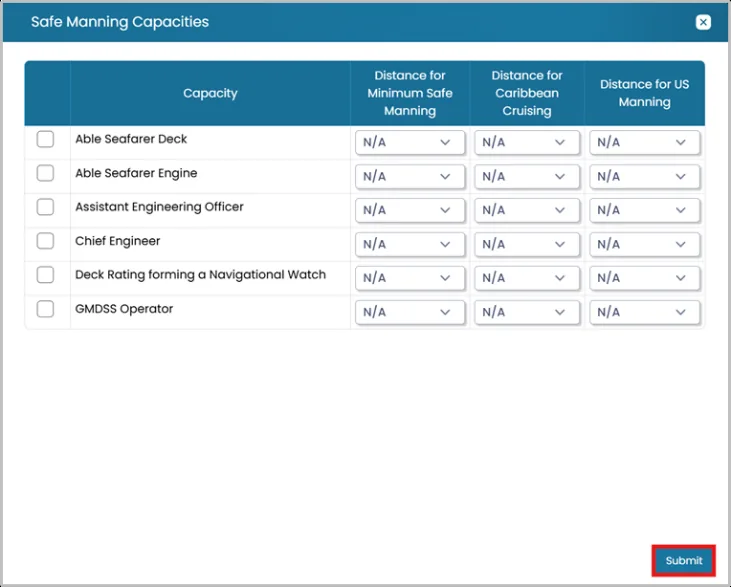
- On the Safe Manning Capacities Tab, click the Add Safe Manning Capacities at the right top corner.
- Select the capacity and travel distance, then click Submit.
- Once done, click Back to return to the previous page.
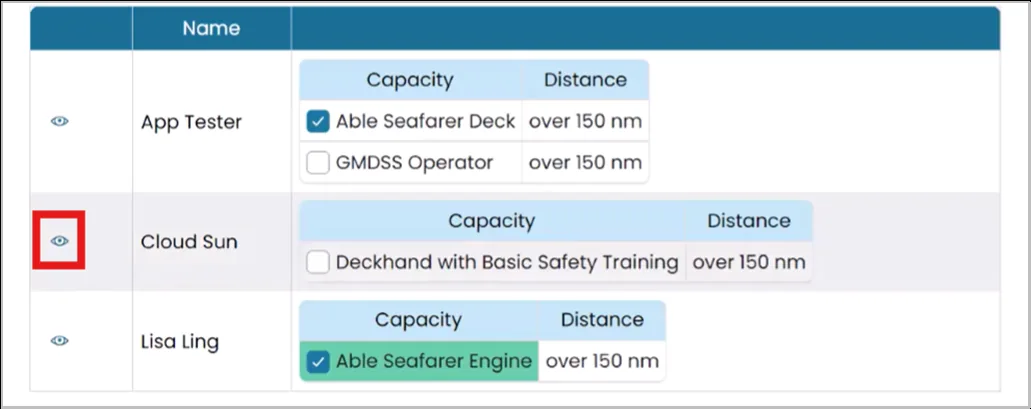

Find the crew member for whom you created the Safe Manning capacities, then select the appropriate capacity by checking the corresponding box. Repeat this process as needed to assign additional capacities.

Was this article helpful?
Still need help?
Our support team will pick it up as a support ticket and reply by email.