
Video Tutorial Coming Soon
Safe Manning Settings allow you to configure the minimum crew requirements and operational capacities for your vessel. These settings define the roles, positions, and travel-distance requirements needed to ensure the vessel is manned safely and in accordance with company policies and applicable maritime regulations.
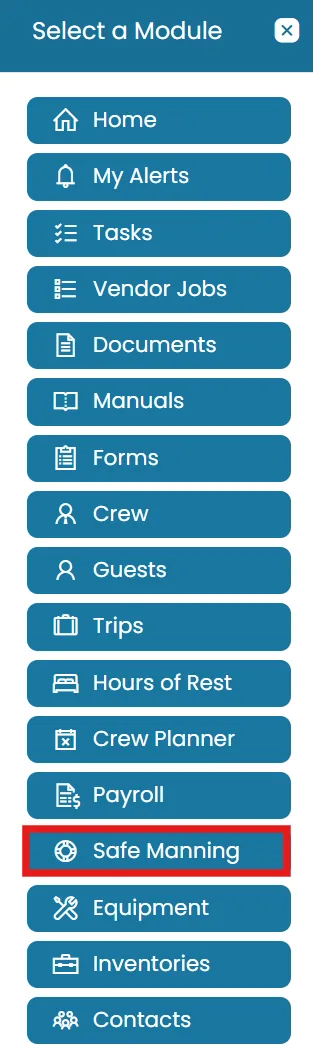
- Click on Modules icon and then select Safe Manning.
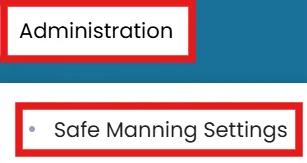
- From the Administration menu in the blue ribbon, select Safe Manning Settings.
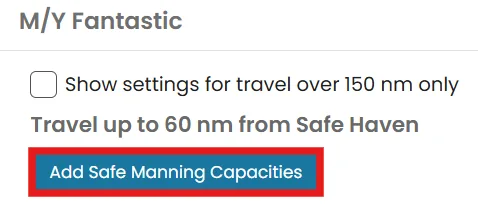
- The page displays the vessel and their associated sub-vessels. Click the arrow on the right side of the vessel name to expand the settings.
- Click Add Safe Manning Capacities to create a new safe manning capacity.
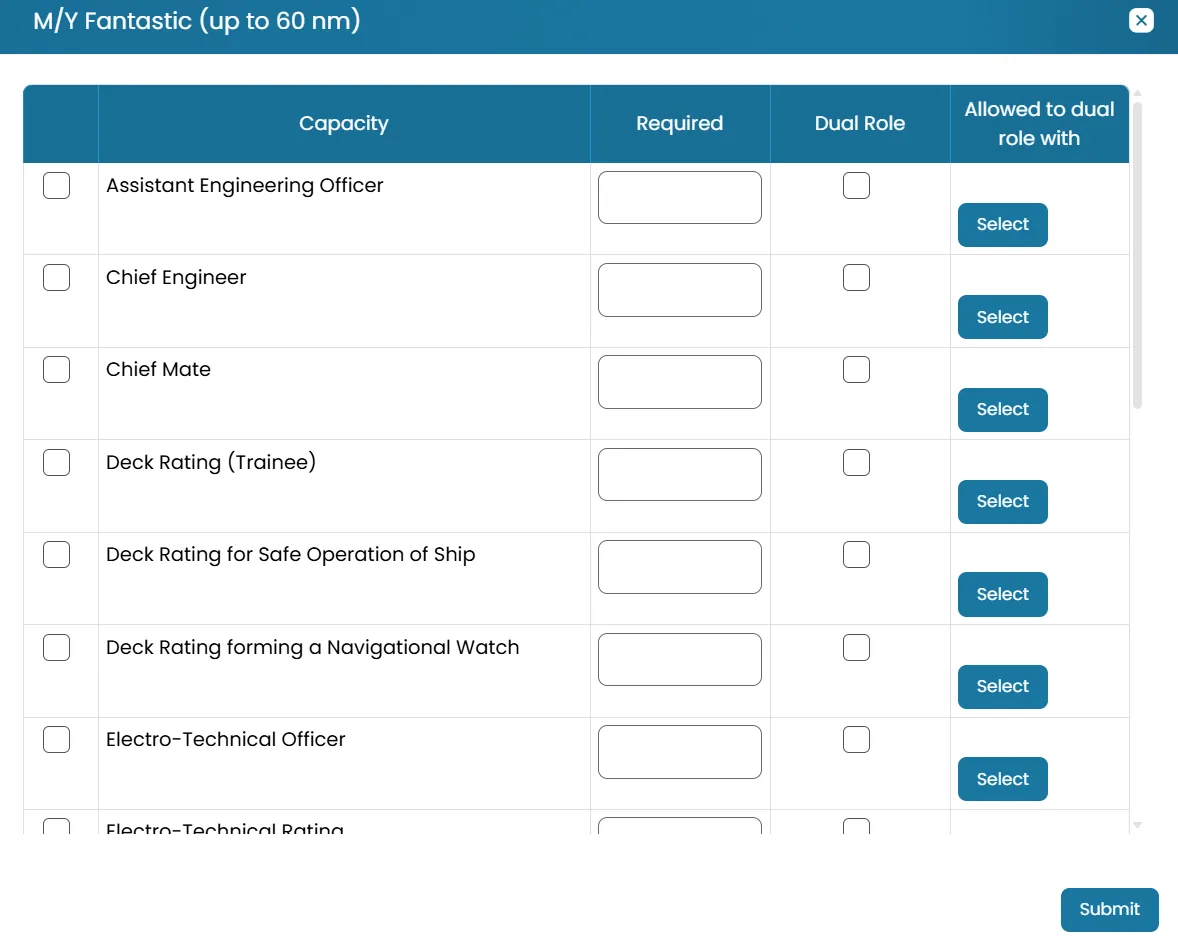
- A pop-up window will appear, allowing you to configure the Safe Manning Capacities.
- Capacity — the crew role or qualification needed.
- Required — how many crew with that capacity must be onboard.
- Dual Role — checkbox indicating if one crew member can cover this role alongside another.
- Allowed to dual role with — which other capacity this role can be paired with (e.g., GMDSS Operator can dual-role with "Any Safe Manning Capacity").

Once done, click Submit to save the capacities.
Was this article helpful?
Still need help?
Our support team will pick it up as a support ticket and reply by email.