
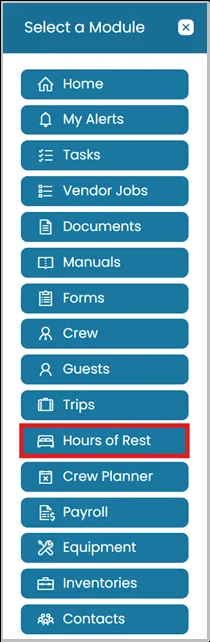
- Click the Modules icon and select Hours of Rest.
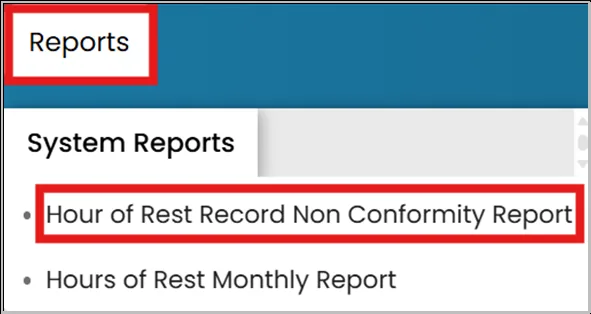
- On the top blue ribbon, click Reports, then under System Reports, select Hours of Rest Non-Conformity Reports.
- This report will display all non-conformities entered by the crew for the current month.
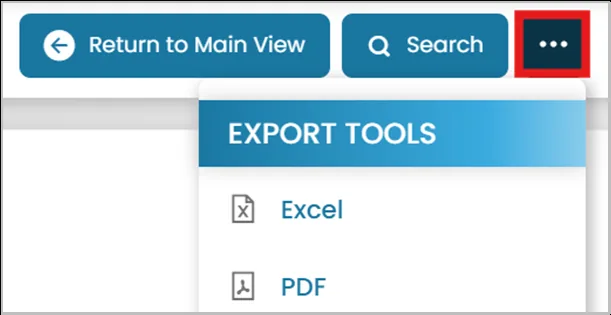
To export the report, click the three-dot menu in the top-right corner and select either Export to PDF or Export to Excel.
Was this article helpful?
Still need help?
Our support team will pick it up as a support ticket and reply by email.