
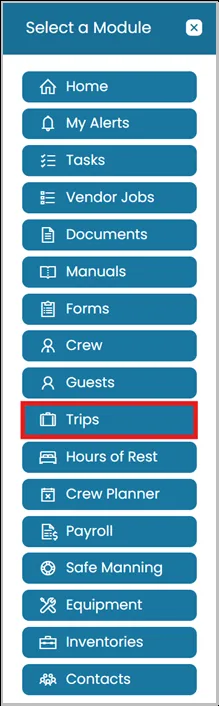
- Click the Modules icon and select Trips.
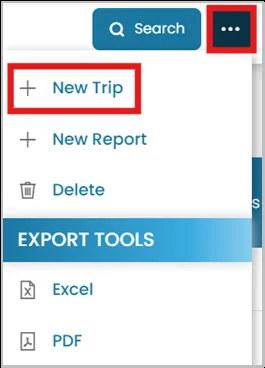
- On the top right corner, click the three dots and select New Trip.
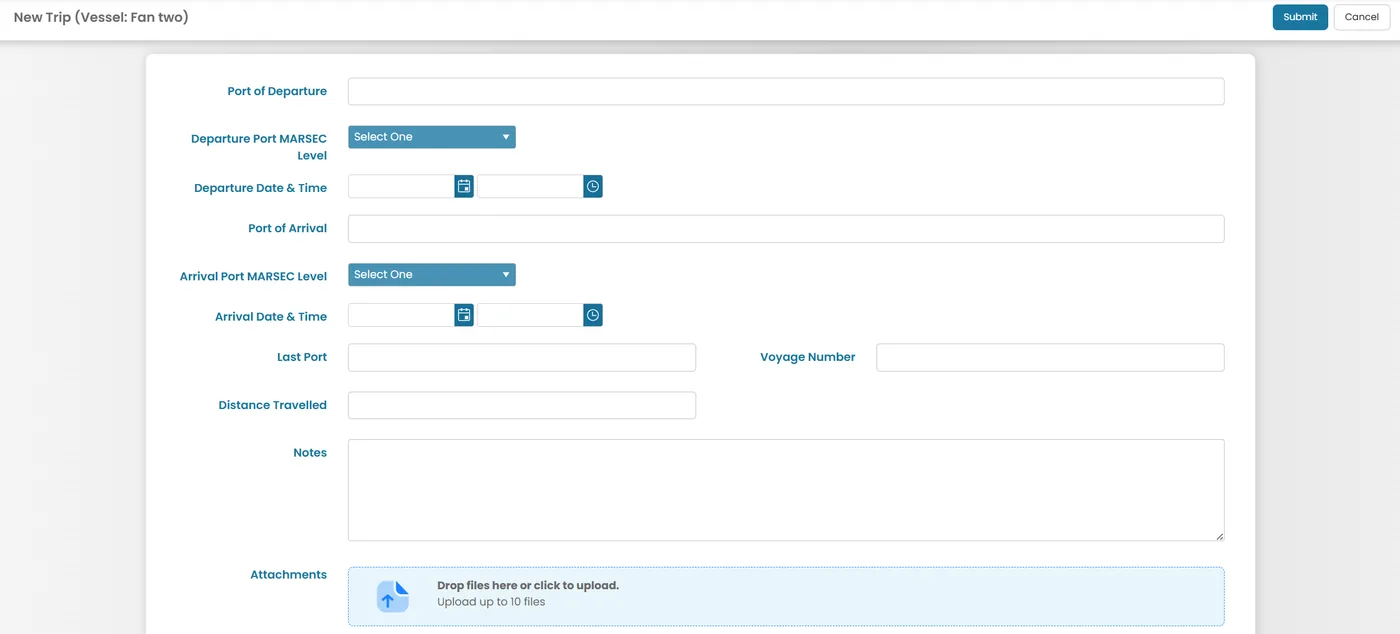
- Enter the trip details.
- Port of Departure / Port of Arrival — where the trip starts and ends.
- Departure/Arrival Port MARSEC Level — the security level at each port.
- Departure/Arrival Date & Time — when the vessel leaves and arrives, with separate date and time pickers.
- Last Port — the previous port the vessel came from.
- Voyage Number — reference number for this voyage.
- Distance Travelled — how far the trip covers.
- Notes — for any additional details.
- Attachments — drag and drop or click to upload supporting files (up to 10).
Was this article helpful?
Still need help?
Our support team will pick it up as a support ticket and reply by email.