
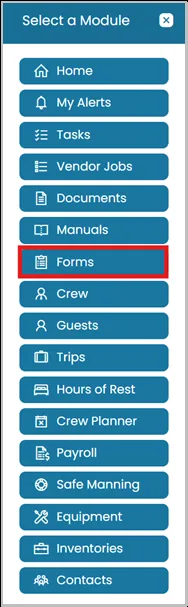
- Click the Modules icon and select Forms.
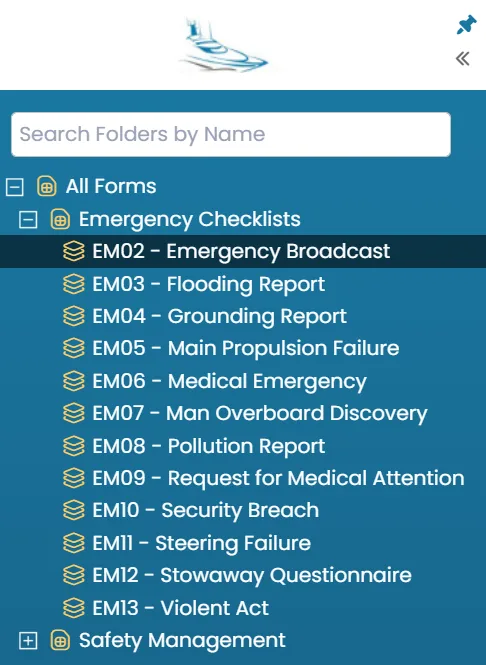
- On the left-hand side of your screen, you will see the folder structure.
Click the + icon to view all available form templates created under the selected folder, then highlight the form template you want to use.
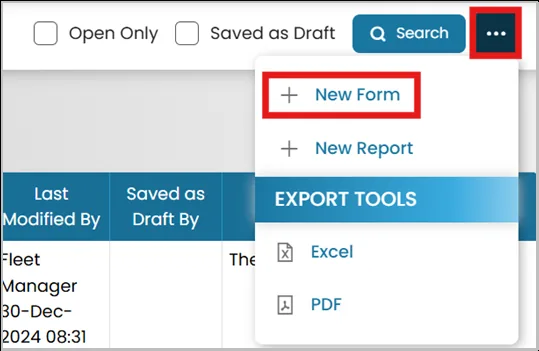
- Click the three dots in the top right corner and choose New Form.
- Once you have entered all the required details on the form, click Publish to make it available for other users to review.
Selecting Save as Draft will save your progress, but the form will only be visible to you until it is published.

Was this article helpful?
Still need help?
Our support team will pick it up as a support ticket and reply by email.