
Video Tutorial Coming Soon
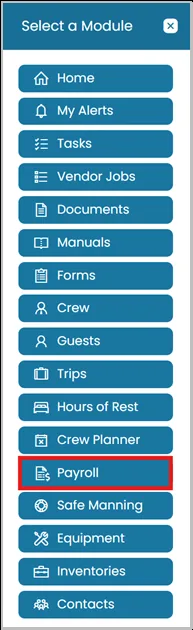
- Click Modules icon and select Payroll.
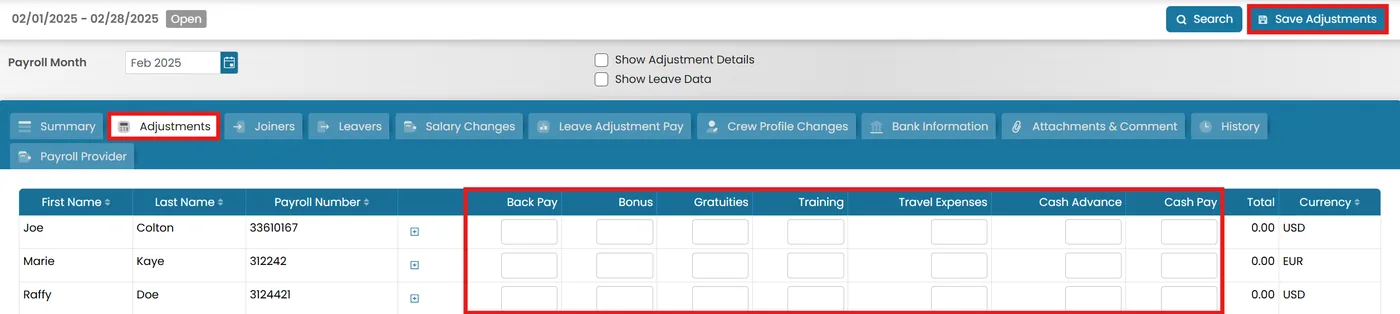
- Go to the Adjustments tab, make the necessary changes in the provided boxes, and click Save Adjustments.
- Once all adjustments have been completed, go to the Summary tab and click Submit for Approval.
If you have approval permissions, you can approve the report directly from this view.

Was this article helpful?
Still need help?
Our support team will pick it up as a support ticket and reply by email.