Equipment

Add Equipment

Permission-based access: What you can see and do in MMV depends on how your management company has set up your account. If a feature described here isn't visible in your account, ask your Fleet administrator.

Video walkthrough

Video not playing? Watch it on YouTube ↗

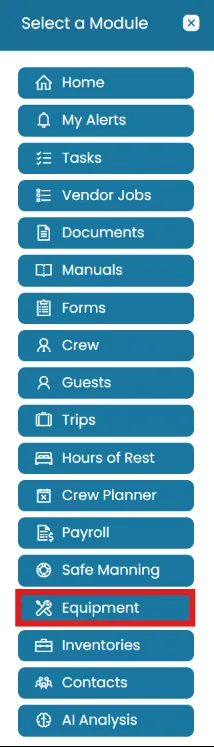
  1. Click the Modules icon and select Equipment.
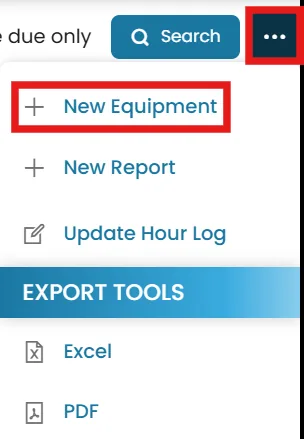
  2. On the top-right corner, click the three dots and select New Equipment.
Still need help?

Our support team will pick it up as a support ticket and reply by email.

Create Ticket