
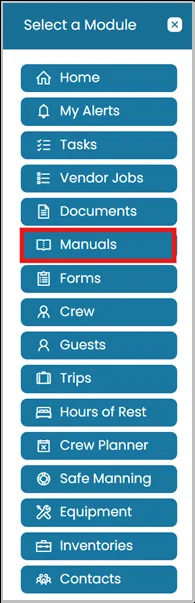
- Click the Modules icon and select Manuals.
- On the left-hand side, you will see the folder structure of the manuals that is created for your vessel.
- You may also filter by keywords to quickly find specific manuals.
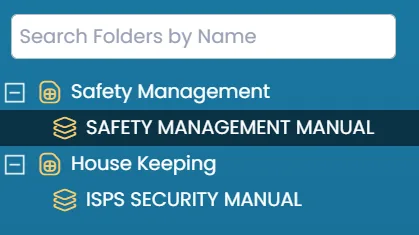
Enter a keyword in the search field, and the system will show matching results, making it easier to find the manual you need.

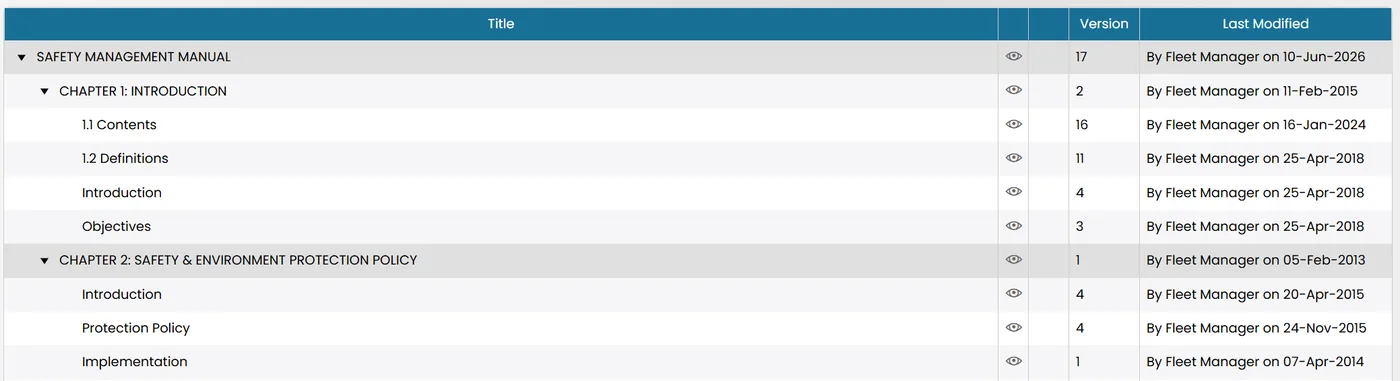
- In the center of the page, you will see all created manuals.
- Click the manual title to view its content.
- Click the eye icon to view the manual’s history and alert set up.
- To navigate through the manuals, use the Previous and Next buttons.
- Select Export Page to PDF to export a single page, or select Export Structure to PDF to export the entire page, including all subsections.


Was this article helpful?
Still need help?
Our support team will pick it up as a support ticket and reply by email.