
Inventory

Creating Inventory Folders

Permission-based access: What you can see and do in MMV depends on how your management company has set up your account. If a feature described here isn't visible in your account, ask your Fleet administrator.

Video walkthrough

Video not playing? Watch it on YouTube ↗

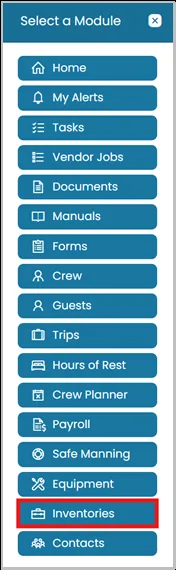
  1. Click the Modules icon and select Inventories.
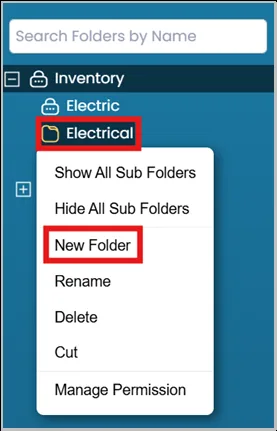
  2. Right-click the folder on the left side of the dashboard where you want to create the new folder, then select New Folder.
Still need help?

Our support team will pick it up as a support ticket and reply by email.

Create Ticket