
Save a personal digital signature you can apply to eligible forms with one click. Some forms are not enabled for digital signing.
Create your signature
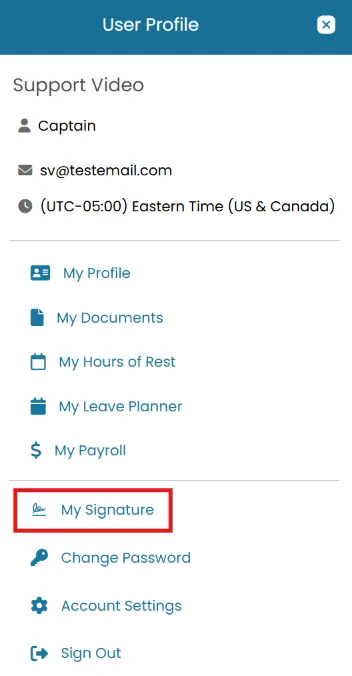
- Click the User Profile icon and select My Signature.
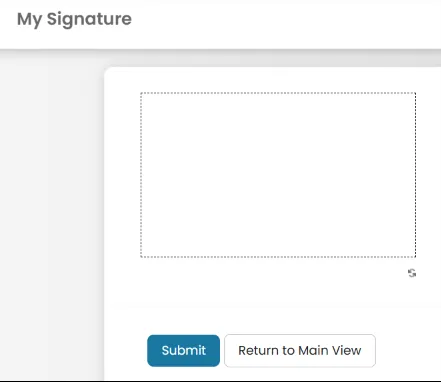
- Draw your signature using your mouse or finger.
Click Submit to save.
Apply on a form
- On the form, click the three dots, then select Edit.
- Click the Click to Sign button.
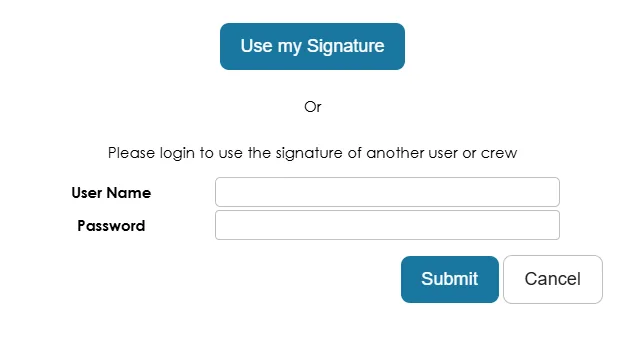
- In the popup, select Use My Signature— or enter another user's/crew member's login details to sign on their behalf.
- Click Publish to save the signed form.
Was this article helpful?
Still need help?
Our support team will pick it up as a support ticket and reply by email.