
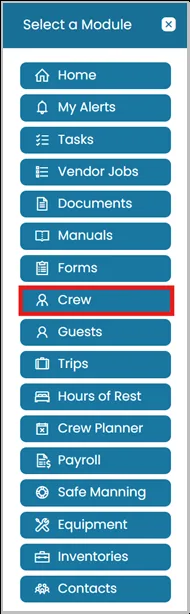
- Click Modules icon and select Crew.
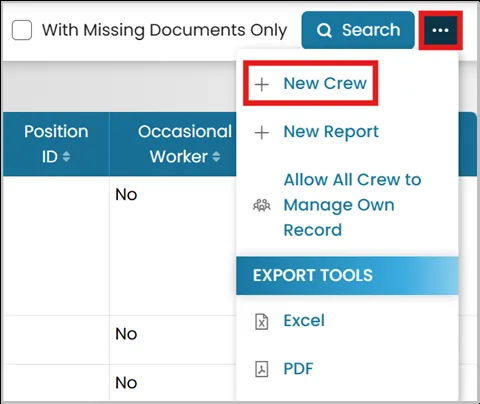
- In the top-right corner, click the three dots and select New Crew.
- Go through each tab to enter the necessary information to create a new crew profile.
- After entering all required crew details, you will be presented with two available options:
- If you want to create a crew profile without linking it to a user profile, click Submit.
- If you want to associate the crew profile with an existing user profile or create a linked user profile, click Submit and Create User.


Was this article helpful?
Still need help?
Our support team will pick it up as a support ticket and reply by email.