
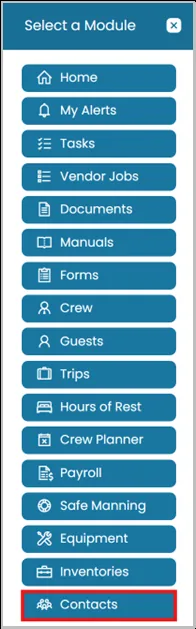
- Click the Modules icon and select Contacts.
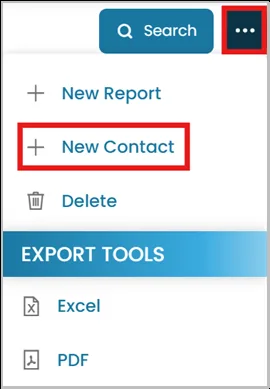
- From the top-right corner, click the three-dot menu and select New Contact.
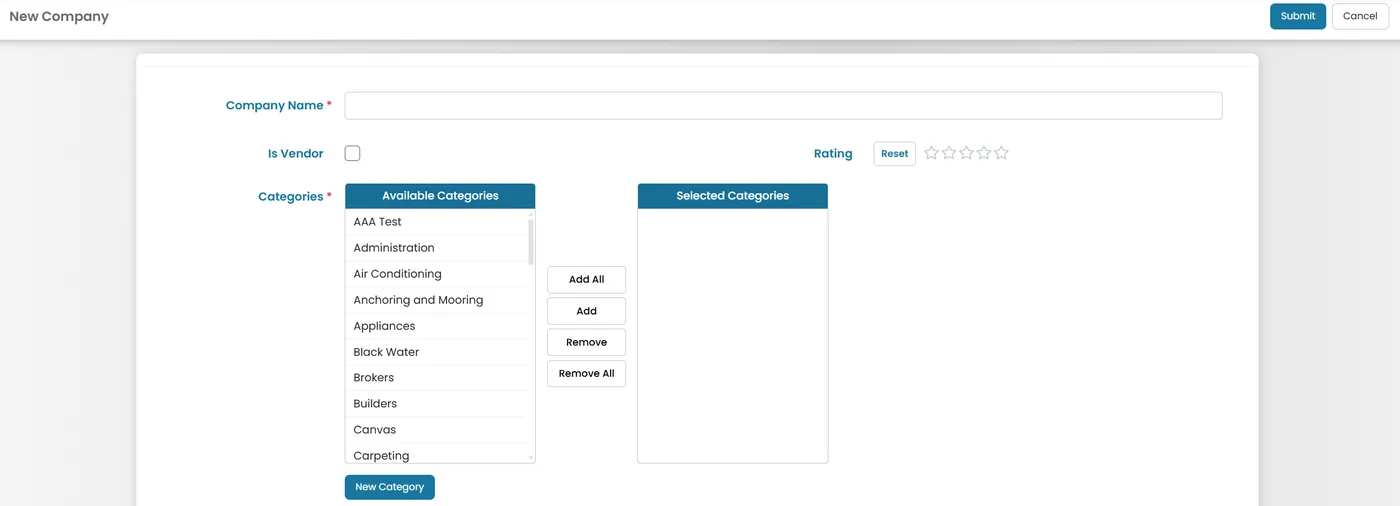
- Enter the required details for the contact.
- Company Name (required) — the name of the company.
- Categories (required) — move relevant categories.
- New Category — button to create a category that isn't already in the list.
Continue entering the remaining details, and once completed, click Submit to save the contact.
Was this article helpful?
Still need help?
Our support team will pick it up as a support ticket and reply by email.